How to Format ATS Resume (2026 Edition)
In today's digital hiring process, your resume is more than a summary it's your first test.

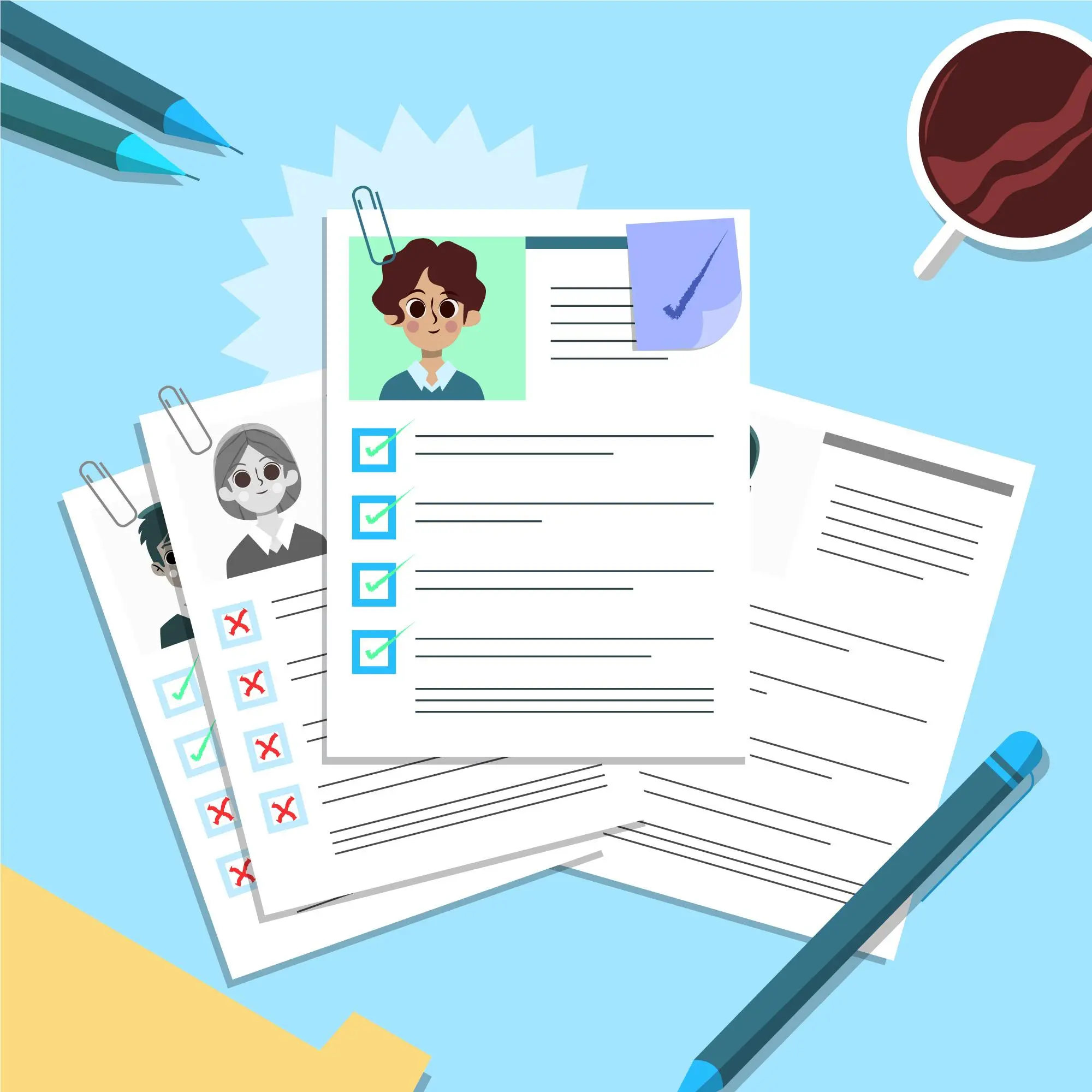
Why Resume Design Matters in the ATS Era?
In today's digital hiring process, your resume is more than a summary it's your first test.
Before it reaches a recruiter, it needs to pass an Applicant Tracking System (ATS). These systems don't just check your experience they scan your resume for formatting, keywords, and relevance.
Even a resume packed with experience can get filtered out if it's not ATS-friendly. That's why designing for both machines and humans is the new standard.
See If Your Format Is Costing You Interviews — Scan Now
💡3 Key Takeaway
- Strategic keyword placement matters more than keyword volume context is key.
- Poor formatting (like tables, images, or incorrect file types) can block ATS readability.
- Tailoring each resume to the specific job description is essential not optional.
Essential Elements Of An ATS-Optimized Resume
To increase your chances of making it past the digital filter, make sure your resume includes:
• Strategic Keywords – Match the exact terms used in the job posting: skills, certifications, tools, etc.
• Standard Section Headings – Use terms like Work Experience, Education, and Skills.
• Consistent Formatting – Stick to clean layouts, readable fonts, and clear bullet points.
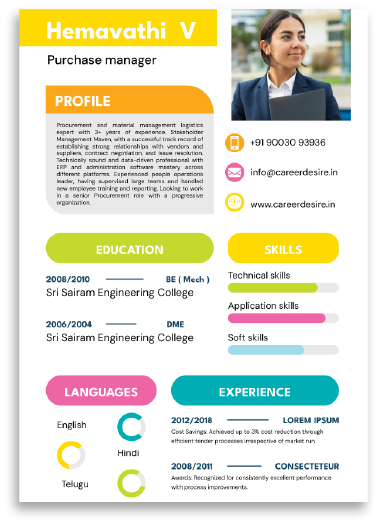
• No Fancy Elements – ATS tools can't process images, icons, tables, or columns effectively.
A clean, well-organized resume with the right content ensures nothing important gets missed.
Use Our Ats-Optimized Template — Start Faster, Score HigherBalancing Creativity With ATS Compliance
You don't have to sacrifice visual appeal completely but you do need to be smart about it.
Smart design tips:
• Use light, professional colours if appropriate for your industry
• Underline or bold headings for clarity (use sparingly)
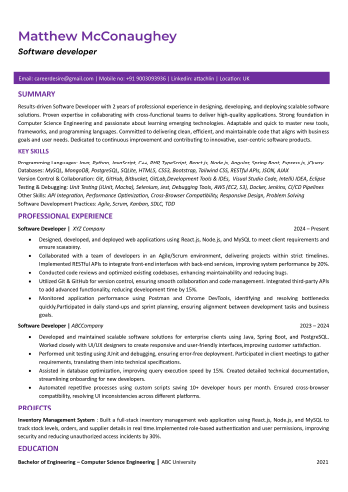
• Stick to a single column
• Use bullet points for achievements
• Avoid graphics, charts, or infographics they may confuse ATS software
Build With Our Smart Template — Compliant Yet Eye-CatchingATS-Blocking
ATS-Friendly
Customizing Your Resume For Every Role
No two job descriptions are alike and your resume shouldn't be either.
• Here's how to personalize effectively:
• Mirror the language used in the job ad
• Rearrange sections based on the job's priorities
• Update your summary each time don't use a generic version
• Focus on relevance highlight the skills they care about most
Customization boosts both your match score and your callback chances.
Run A Tailored Scan — See Exactly Where You Can Align Better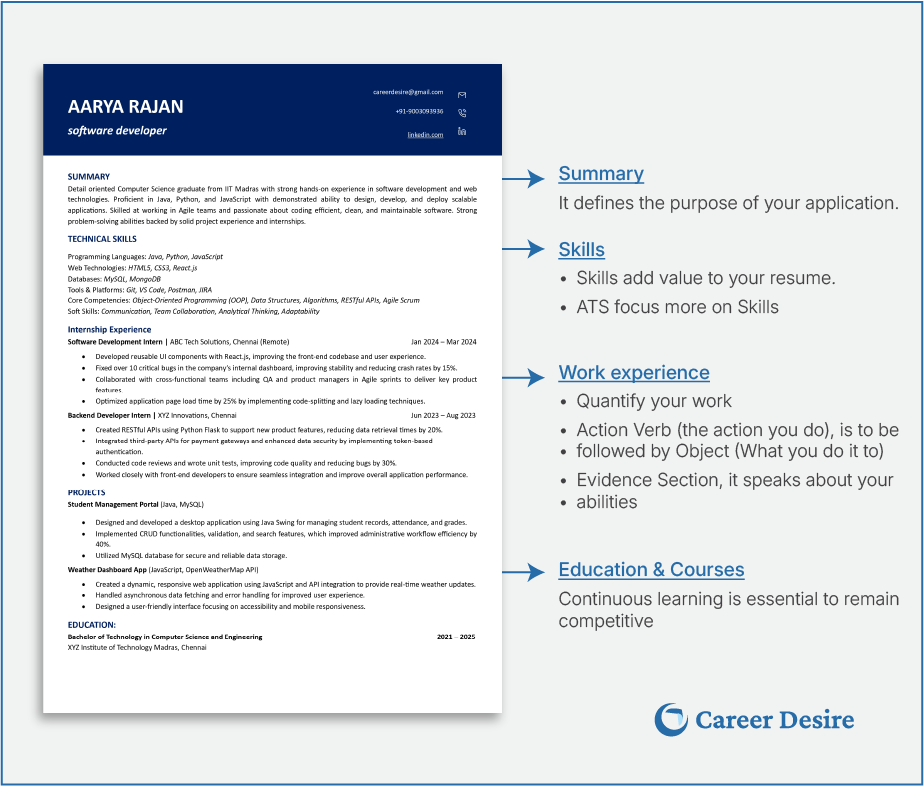
Overcoming ATS Formatting Challenges
Avoid common mistakes that can trip up even a strong resume:
• File Format: Always submit in the requested format, .docx and .pdf are typically safe (if allowed).
• Layout: Stick to a top-down, single-column structure.
• Fonts: Use ATS-safe fonts like Arial, Calibri, or Times New Roman.
• Avoid headers, footers, and anything fancy that might interfere with parsing.
Avoid these mistakes: wrong file type, multi-column layouts, decorative fonts, or hidden contact info in headers/footers. Small errors can derail your chances.
DOs and DON'Ts of ATS resume
| DOs | DON'Ts |
|---|---|
| File Type: docx or .pdf (as per job posting) | File Type: Uploading a .jpg, .png, or unrequested .pdf |
| Font: Use standard fonts like Arial, Calibri, or Times New Roman, size 10–12 pt | Font: Using decorative or hard-to-read fonts like Comic Sans, Papyrus, or cursive styles |
| Layout: Simple, top-to-bottom structure without multiple columns | Layout: Using columns, grids, or text boxes that confuse ATS parsing |
| Sections: Use clear headings like Experience, Education, Skills | Sections: Headings like "My Journey" instead of "Experience" |
| Bullet Points: Use simple bullets (•) to list accomplishments | Bullet Points: Using emojis or special characters as bullets |
| No Graphics: Avoid logos, headshots, or icons | Graphics & Photos: Adding your photo, icons, or logos (ATS can't process these) |
| Simple Contact Info: Plain text email and phone number, not in headers or footers | Contact Info in Header/Footer: Placing your email or phone number inside a header ATS might miss it |
| No Tables or Text Boxes: All text should be directly readable in the body of the resume | Heavy Use of Tables: Tables for layout or skills sections can break parsing logic |
Case Studies: What An ATS-Friendly Resume Looks Like
Case Study 1: Software Engineer Resume
• Uses a single-column layout with clean headings
• Includes keywords like "JavaScript," "API Integration," and "React" naturally
• Action-driven bullets: "Reduced load time by 38% through code optimization"
• ATS-friendly formatting with zero graphics
Case Study 2: Product Marketing Resume
• Fully aligned with job description wording
• Measurable results featured: "Increased lead conversion by 21%"
• Clear, bolded sections and clean bullet structure
• Subtle design touches that enhance without disrupting ATS compatibility
From software engineers to marketers, ATS-friendly resumes share one thing: clean design, relevant keywords, measurable results.
Use Our Real-Results Template Based On Success Stories💡Advanced Pro Tips
- Add a Core Competencies section to surface critical skills fast
- Use alternate job titles subtly to match broader keyword searches
- Reorder sections to spotlight your most relevant experience
- Keep your LinkedIn profile aligned with your resume's keywords
- Always write in active, impact-focused language
Final Thoughts
ATS systems aren't going away they're evolving. To stand out, your resume must check both the technical and human boxes. Your resume isn't just a document it's your first impression. Make it count.
Remember:
• Format clearly
• Prioritize strategic keyword use
• Tailor your resume for every role
• Avoid formatting mistakes that kill your chances
Conclusion
Designing a resume that performs well with ATS and still appeals to recruiters is no longer optional it's essential. Every formatting choice, keyword, and section header can impact your visibility.
If you want to be sure your resume makes the cut:
Scan It. Fix It. Get Hired — Try Our Resume Scanner TodayRelated Articles

What Recruiters Look For in 2026: ATS Tips and Future Trends
The resume is still your front door. But in today's job market, recruiters don't stop there they scroll, search, and scan through your digital trail. If your online presence doesn't support what your resume promises, you risk falling off the shortlist without ever knowing why.

Resume Keywords for ATS (2026 Edition)
Let's be honest, even a well-written resume can get ignored if it doesn't speak the language of today's hiring systems.

What Is an ATS and How It Works: A Guide to Optimizing Your Resume for Applicant Tracking Systems
Let's be real, job hunting today feels like sending your resume into a black hole. You hit 'Apply,' cross your fingers and hear nothing. Sound familiar? That's not your fault. It's the Applicant Tracking System (ATS) the silent filter between you and your next big break.